
Everything Widgets
JustNewDesignsPersonalization
4.6360.00 Reviews
- Version
- 2.1.014
- Installs
- 100.00K
- Age Rating
- Everyone
Screenshots
Our Review of Everything Widgets
 Analysis by Appyee
Have you ever wished your smartphone could be as unique as your personality? Well, Everything Widgets might just be the app to help you achieve that. I took this app for a spin, and let me tell you, it’s like giving your phone a makeover with a personal touch!
Who will enjoy shaping a home screen?
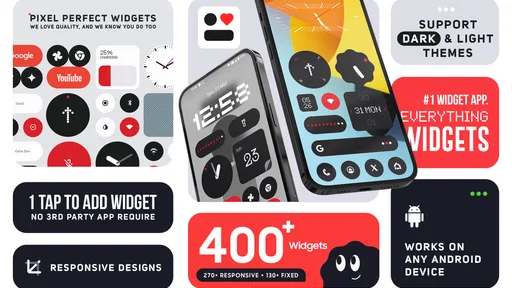
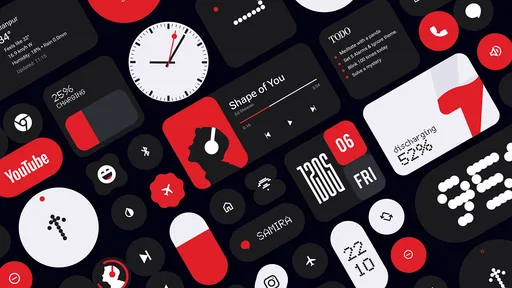
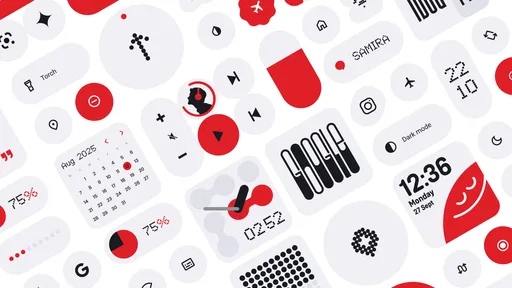
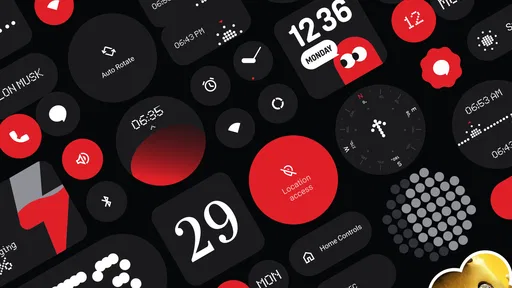
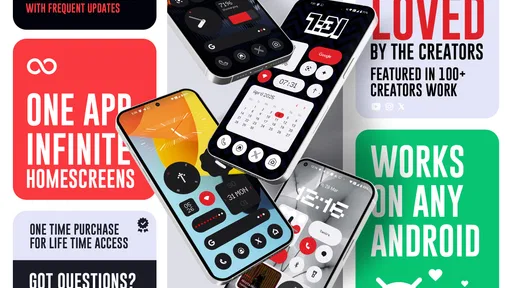
I’d point this app toward someone who already likes adjusting icons, wallpapers, and layouts, but wants widgets to bring those choices together. Its focus is personalization, and JustNewDesigns has built it around a collection inspired by Nothing’s visual style. That makes it especially appealing if you like a restrained, distinctive look rather than a home screen assembled from unrelated styles.
A practical way to approach a large widget collection is to decide what you want your screen to do before you start browsing. For example, I’d first choose whether the main screen should help me check the time and date at a glance, or whether I want it to act as a quick visual dashboard. Then I’d try one or two widgets, rather than filling every available space immediately. That keeps the layout readable and makes it easier to tell whether a design is useful or merely attractive.
For a realistic everyday setup, imagine checking your phone in the morning before leaving home. A clock or calendar widget can make an upcoming appointment easier to spot without opening another app. Later, a more compact arrangement may be better when you want the wallpaper to remain visible and the screen to feel less crowded. The value here is not only decoration: the right widget placement can reduce small bits of repeated navigation.
What the current release tells me
The app is listed as version 2.1.014, after its release on March 31, 2025. That gives a useful snapshot of its current stage, but a version number by itself does not explain which changes have been made between releases. I wouldn’t assume a particular feature was added or improved without a specific release note to support that claim. What I can say is that the current offering is a paid personalization app, priced at $0.99, with an Everyone age rating and a minimum OS requirement of 12.
Its audience has grown to over 100,000 installs, and its average rating is 4.8 from around 8,600 ratings. Those figures suggest that many people are interested in this style of home-screen customization, though they can’t tell me whether every widget will suit a particular device or layout. I’d treat them as context, not as a substitute for checking whether the app’s visual approach matches your own preferences.
Making the collection work for you
One useful trade-off with a broad selection is that choice can slow down setup. Instead of trying to find a perfect arrangement in one sitting, I’d make a small change, live with it through a normal day, and then decide what feels missing. A widget that looks balanced in the editor may take up more visual attention than you want once it sits beside your everyday app icons.
I’d also think about screen space before committing to a design. A large widget may make information easier to scan, but it can leave less room for app shortcuts; a smaller choice can preserve the layout while asking you to look more closely. If you use several home-screen pages, it may help to keep the most useful information on the page you already visit most, rather than creating a separate page just for decoration.
Compared with relying only on the widgets built into individual apps, a dedicated design collection can make it easier to pursue a more unified visual style. The built-in options may still be the better choice when you need a particular app’s specific information or want the simplest setup. I’d use Everything Widgets when the appearance and arrangement of the home screen matter, and stick with native options when a widget’s practical function is the priority.
Where I’d be cautious
This is not automatically the right pick for someone who rarely looks at the home screen or prefers a phone that is ready to use without any visual tweaking. Paying for a personalization app makes most sense when you expect to spend time choosing and arranging widgets; if you only want one basic glance at the time, the phone’s existing options may be enough.
I’d also avoid treating a large collection as a promise that every design will fit every taste or screen arrangement. A Nothing-inspired look is a clear stylistic direction, which is a strength if it appeals to you and a limitation if you want a different visual identity. Before investing effort in a detailed layout, check how the widgets look at the size you plan to use and whether they leave enough room for the shortcuts you reach for most.
What’s the Buzz About Everything Widgets?
So, what exactly is Everything Widgets? In a nutshell, it’s an app that lets you customize your phone’s home screen with a variety of widgets. Whether you’re into sleek minimalistic designs or quirky colorful setups, this app has got you covered. Think of it as your personal design toolkit for your phone.
First Impressions
When I first opened the app, I was greeted with a user-friendly interface. Navigating through the options was a breeze, and everything was laid out in a way that even the least tech-savvy among us could manage. I was impressed by how quickly I could dive into the customization process without any steep learning curve.
Diving Into the Features
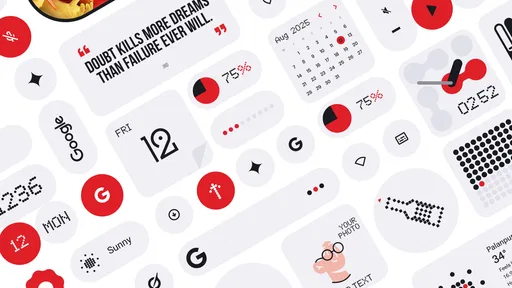
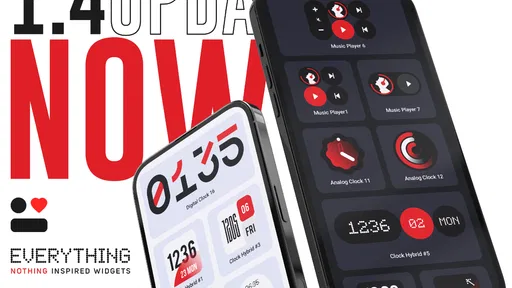
Now, let’s talk features. The app offers a wide array of widgets, from clocks and calendars to weather updates and even music players. You can customize the size, color, and style of each widget, allowing you to tailor your home screen to your aesthetic preferences.
Customization Options: The creative options are virtually endless. You can mix and match different styles to your heart's content. I found myself spending a good amount of time just experimenting with different looks, and I loved how each tweak made my phone feel more like my own.
Ease of Use: The app is designed to be intuitive. Adding widgets to your home screen is straightforward, and the app offers helpful tips along the way. This makes it perfect for anyone who wants to enhance their phone’s look without getting bogged down in complicated settings.
Performance and Reliability
Performance-wise, Everything Widgets runs smoothly without any noticeable lag or crashes. The widgets update in real time, and I didn’t experience any hiccups during my trial. The app seems well-optimized, ensuring that your phone’s performance isn’t compromised.
What Sets Everything Widgets Apart?
What really stood out to me was the community aspect of the app. There’s a section where users can share their creations, providing endless inspiration. This not only adds a social element but also allows users to see what’s possible and push their creativity further.
Community Creations: Browsing through user-submitted designs was a highlight for me. It’s fascinating to see how others utilize the app’s features, and it sparked some ideas for my own customization journey.
What I’d check before settling on a layout
Before spending time recreating a look, I’d use the community section as inspiration rather than a set of instructions. A design that works for someone else may rely on a different wallpaper, icon arrangement, or amount of free screen space. I’d borrow one element at a time—perhaps the placement or a color choice—and adapt it to the way I actually use my phone.
If you are deciding whether the app is worth paying for, the key question is how much you value a coordinated home screen. The $0.99 price is modest, but it still makes sense to consider whether you’ll use the collection often enough to justify adding another customization tool. I’d be more likely to recommend it to someone who enjoys refining a setup over time than to someone who wants a single quick change and then never revisits it.
The age rating is Everyone, and the minimum OS requirement is 12, so the operating-system requirement is worth checking before you plan a setup around it. The app is categorized for personalization, which matches its main role: changing how the home screen looks and presents information, rather than replacing the apps you use for those tasks.
Final Thoughts
Overall, if you’re looking to breathe new life into your smartphone’s home screen, Everything Widgets is a fantastic app to consider. It combines functionality with creativity, allowing you to express yourself while keeping your phone organized. Whether you’re a customization rookie or a seasoned pro, this app provides ample opportunities to explore and personalize.
Ready to make your phone truly yours? Check out Everything Widgets and start customizing today!
Verdict
Strengths of Everything Widgets
- Highly customizable interface options.
- Wide range of widget sizes available.
- Seamless integration with other apps.
- User-friendly design for easy setup.
- Regular updates with new features.
Limitations of Everything Widgets
- Limited free widget themes available.
- Some widgets may drain battery faster.
- Occasional bugs in specific devices.
- In-app purchases for premium features.
- Widgets can be slow to load initially.
Other Releases by JustNewDesigns
View All
Depth Wallpapers & Live Clock
Personalization4.5

LineX Icon Pack
Personalization4.5

LineX White Icon Pack
Personalization4.5

Glass Widgets Pro
Personalization4.7
Similar Picks in This Category
View All
Microsoft SwiftKey AI Keyboard
SwiftKey4.3

Wallpapers
Google LLC4.1

Zedge™ Wallpapers & Ringtones
Zedge4.7

Yandex Browser with Alice AI
Direct Cursus Computer Systems Trading LLC4.3

Ringtone Maker:create ringtone
Big Bang Inc.4.7

Fonts Keyboard
Fonts Keyboard3.9
Frequently Asked Questions
What is Everything Widgets and how does it work?
Everything Widgets is a customizable app that allows users to create and personalize widgets on their Android or iOS devices. It works by providing a wide range of templates and tools that enable users to design widgets that display information like weather, calendar events, and reminders directly on their home screens.
Is Everything Widgets free to use, or are there in-app purchases?
Everything Widgets offers a free version with basic features. However, to access premium templates, advanced customization options, and an ad-free experience, users can opt for in-app purchases or a subscription plan. This allows for a more personalized and enhanced widget-building experience.
What customization options are available in Everything Widgets?
The app provides extensive customization options, including the ability to change colors, fonts, and sizes. Users can also add images, select from a variety of icon packs, and customize the layout of their widgets. This flexibility ensures that every widget can be tailored to fit the user’s personal style and needs.
Can Everything Widgets integrate with other apps on my device?
Yes, Everything Widgets can integrate with multiple apps and services on your device. It can pull data from your calendar, weather apps, and even social media platforms to display the most relevant information on your widgets. This integration enhances the app’s functionality and usefulness.
Is Everything Widgets user-friendly for beginners?
Absolutely! Everything Widgets is designed to be user-friendly, with an intuitive interface that guides users through the widget creation process. Even those new to customization will find it easy to navigate, thanks to step-by-step instructions and helpful tutorials available within the app.
